
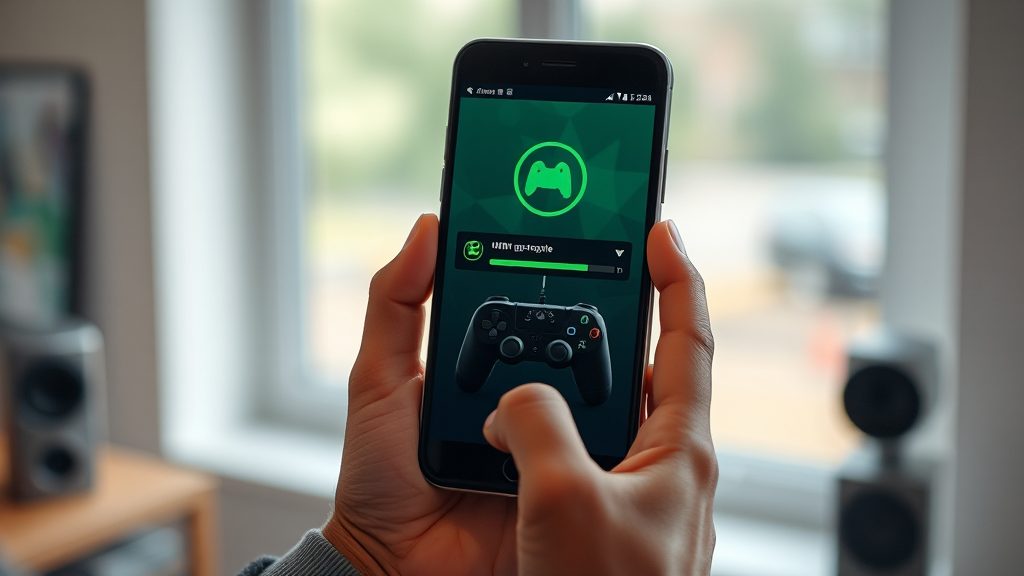
Mgm game apk: A Complete Android Download and Installation Guide
Android users who enjoy mobile gaming often look for applications that offer a smooth, reliable, and straightforward experience. The Mgm game apk has become a popular search term among people who want to install a mobile gaming app directly on their phones without going through complicated steps. This guide explains what the MGM Game APK is, how to download it, how to install it safely, and what to expect from the app once it is running on your device. The information here is intended for everyday Android users who want clear, practical instructions rather than technical jargon.
Before diving into the installation process, it helps to understand what an APK file actually is and why many mobile apps are distributed this way. An APK, short for Android Package Kit, is the standard file format used by the Android operating system to install applications. When an app is not available through the Google Play Store, or when a newer version is released before it reaches the store, users often turn to APK downloads. The MGM Game APK follows this same distribution model, giving Android users a direct way to get the app onto their phones.
What Is the MGM Game APK?
The MGM Game APK is an Android application package that users can download and install on their smartphones or tablets. It is designed for mobile gamers who want access to the app without relying solely on official app store listings. The official download page at mgmin.in provides the latest version of the APK along with installation guidance, feature information, and update details. This makes it easier for users to find a trustworthy source rather than searching through random file-sharing websites that may host outdated or modified files.
One of the main reasons users search for the Mgm game download is convenience. Installing an APK directly means you are not dependent on regional availability or store approval timelines. As long as your Android device allows installation from unknown sources, you can complete the process in a few minutes. The key is to use a reliable source and to follow the steps carefully so that the installation goes smoothly.
Why Android Users Choose Direct APK Downloads
There are several practical reasons why direct APK downloads remain popular among Android users. First, APK files often become available before an app is listed in a particular region’s app store. Second, some users prefer to keep a backup copy of an app’s installation file so they can reinstall it later without needing an internet connection. Third, APK downloads give users more control over which version of an app they install, which can matter when a newer update introduces changes they are not ready for.
For the MGM Game app specifically, direct download offers a simple path for users who want to try the app without waiting. The Mgm app page consolidates the download link, version information, and basic instructions in one place, which reduces the risk of confusion. Instead of jumping between multiple sites, users can find what they need on a single page.
It is also worth noting that APK downloads are not inherently unsafe. The safety of an APK depends almost entirely on where it comes from. A reputable source that provides the original, unmodified file is very different from a random forum link. This is why checking the source before downloading is one of the most important habits an Android user can develop.
How to Download the MGM Game APK Safely
Downloading the MGM Game APK is a straightforward process, but a few precautions can make it even safer. Start by opening your preferred mobile browser on your Android device. Navigate to the official download page, where the latest APK file is hosted. Before tapping the download button, take a moment to confirm that the page is the one you intended to visit and that the file information matches what you expect.
Once the download begins, you will usually see a progress indicator in your browser or notification shade. Depending on your internet speed, the file should download within a minute or two. After the download completes, you may see a notification asking whether you want to open the file. At this point, you can proceed to the installation step, which is covered in the next section.
If your browser warns you that the file type could be harmful, this is a standard security message for APK files. It does not necessarily mean the file is dangerous; it simply reflects the fact that APK files can install software outside the Play Store. As long as you downloaded from a trusted source, you can continue with the installation.
Step-by-Step Installation on Android
Installing the MGM Game APK involves a few simple steps. First, open your device’s Settings app and locate the security or privacy section. Find the option labeled “Install unknown apps” or “Unknown sources.” You will need to enable this permission for the browser or file manager you are using to open the APK. This step is required because Android blocks installations from outside the Play Store by default.
Next, open your file manager or the downloads section of your browser and locate the APK file you just downloaded. Tap on it, and Android will display a confirmation screen showing the permissions the app requires. Review these permissions briefly, then tap the install button. The installation usually takes less than a minute.
Once the installation is complete, you can disable the “Install unknown apps” permission again if you prefer to keep your device locked down. This is a good security habit, especially if you do not plan to install other APK files soon. After installation, you should see the MGM Game icon in your app drawer or on your home screen, ready to launch.
Key Features and What to Expect
The MGM Game app is built with mobile users in mind. It offers a clean interface that is easy to navigate on smaller screens, and it is designed to run smoothly on a wide range of Android devices. Whether you are using a budget phone or a high-end flagship, the app aims to deliver a consistent experience without excessive battery drain or performance issues.
Regular updates are another important aspect. The development team behind the app releases updates to fix bugs, improve stability, and sometimes add new features. Checking the official page periodically ensures you are running the latest version. Using an outdated APK can lead to compatibility problems or missed improvements, so staying current is worthwhile.
Compatibility is generally broad. The app supports most modern Android versions, though very old devices may experience limitations. If you are unsure whether your device is supported, checking the app’s requirements before downloading can save time and frustration.
Staying Updated and Avoiding Common Mistakes
One common mistake users make is downloading an APK from an unofficial source and then wondering why the app behaves unexpectedly. Modified APK files can contain adware, unwanted changes, or missing features. To avoid this, always use the official download page and verify that the file you are installing is the one you intended to get.
Another mistake is ignoring update notifications. When a new version of the MGM Game APK is released, installing it over the old version usually preserves your data while fixing known issues. Skipping updates for too long can leave you with a version that no longer works well with newer Android system changes.
Finally, be cautious with permissions. If an app requests access to features that seem unrelated to its purpose, take a moment to think about whether that access is justified. Legitimate apps typically request only what they need to function.
Frequently Asked Questions
Is the MGM Game APK free to download?
The APK file itself is typically available at no cost from the official download page. However, always check the specific page for the most current information regarding availability and any associated terms.
Do I need to root my Android device to install it?
No, rooting is not required. You only need to enable the installation of apps from unknown sources in your device settings, which is a standard Android option available on most phones.
Will installing the APK delete my existing app data?
If you are installing the APK for the first time, there is no existing data to lose. If you are updating an already installed version, the installation process usually preserves your data, but it is always a good idea to back up important information beforehand.
How often should I check for updates?
It is a good practice to check the official page every few weeks or whenever you notice performance issues. Updates often address bugs and improve compatibility, so staying current helps maintain a smooth experience.
Can I install the MGM Game APK on a tablet?
Yes, the APK is designed for Android devices broadly, including tablets. The interface adapts to larger screens, though the experience may differ slightly from a phone.
In summary, the MGM Game APK offers Android users a direct and practical way to install a mobile gaming app. By downloading from a trusted source, following the installation steps carefully, and keeping the app updated, you can enjoy a smooth experience without unnecessary complications. Always prioritize safety and official sources when dealing with APK files, and you will get the most out of your mobile gaming setup.

Leave a Reply